Dev Note #05 22 Ekim 2026· valcrymisa
DEV NOTE #05 | Drakar Skills, Tutorial Guide Bao, UI Updates & the Khepra Set
Steam'de okuDuyurular Steam'de İngilizce yayınlanıyor; içerik orijinal haliyle gösteriliyor.
Greetings, Misa Online adventurers!
Welcome to the fifth installment of our Misa Online Dev Notes series!
In this installment, we're showing the skills of the Drakar, our gauntlet-wielding class, in a gameplay video for the first time. We're also introducing Bao, the tutorial guide who will stand by new players, and taking a detailed look at our redesigned minimap and the new damage text settings. Finally, we take a look at the level 25 Khepra Weapon Set.
Welcome to Misa Online Dev Note #05!

Drakar Skill Showcase
In this section, we're introducing the Drakar through gameplay for the first time. The Drakar is a melee class that fights with heavy gauntlets. Never giving opponents room to breathe, the Drakar chains punches, kicks, and ground-shaking slams to control the pace of every fight.
When designing the Drakar's skills, we focused on two things: making every hit feel heavy and keeping the transitions between skills fluid. Directional camera shake and blows that knock enemies back bring the Drakar's power to the screen. You can move into the next skill before the previous animation ends, building punch and kick combos at your own rhythm.
The Drakar's skills:
- Quake Fists: Drives the gauntlets into the ground three times in quick succession. Each blow sends a shockwave through the ground ahead, and the final blow hits a wider area.
- Dragon Fist: Gathers the dragon's fury into a single punch while the key is held. The longer the charge, the harder the punch lands, knocking enemies back.
- Cyclone Crash: Spins into a high kick, then leaps and lashes out with a second spinning kick before landing, hitting a wider area.
- Iron Barrage: Three rapid punches followed by a crushing hook. Can be used both while standing still and on the move.
- Rising Tempest: A leaping uppercut that raises a tornado and hits every enemy around you.
- Blow Punch: Lunges forward with a heavy punch that deals high damage in a single blow.
- Phantom Kick: Delivers a powerful two-footed flying kick forward, knocking the target back.
Please note that the footage we're sharing is from a development build ahead of Pre-Alpha. Work on the Drakar is ongoing, and the animations, effects, and balance values seen in the video may change during development.
Don't forget to share your thoughts on the Drakar's fighting style and skills with us. We'd love to read in the comments which skill you're most eager to try and what you'd like to see improved.
Meet Bao, Your Tutorial Guide 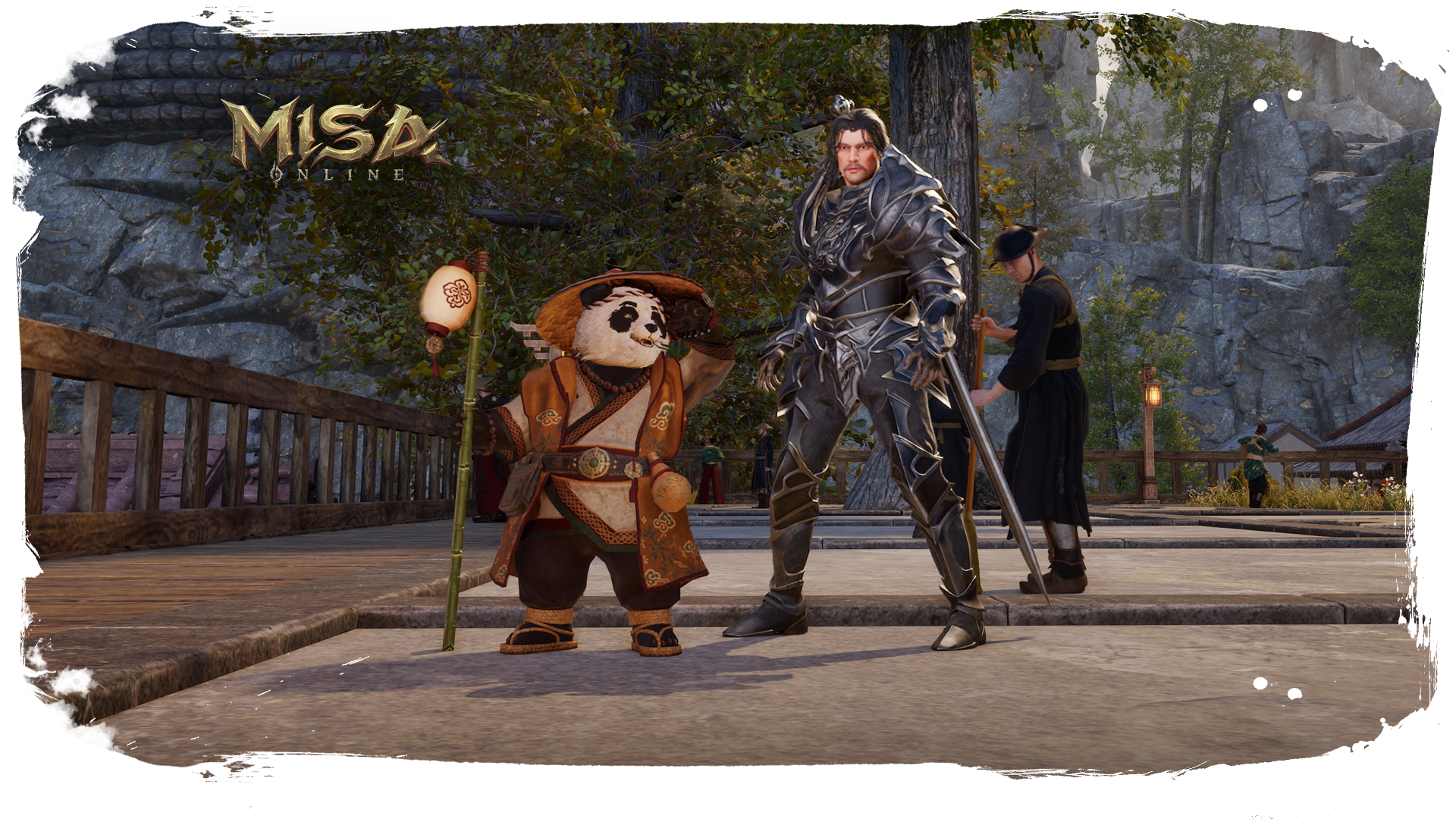
When you take your first steps into Misa Online, one of the first faces to greet you will be Bao. Wandering the village square with a bamboo staff in hand, this panda is there to teach you the game's core systems step by step.
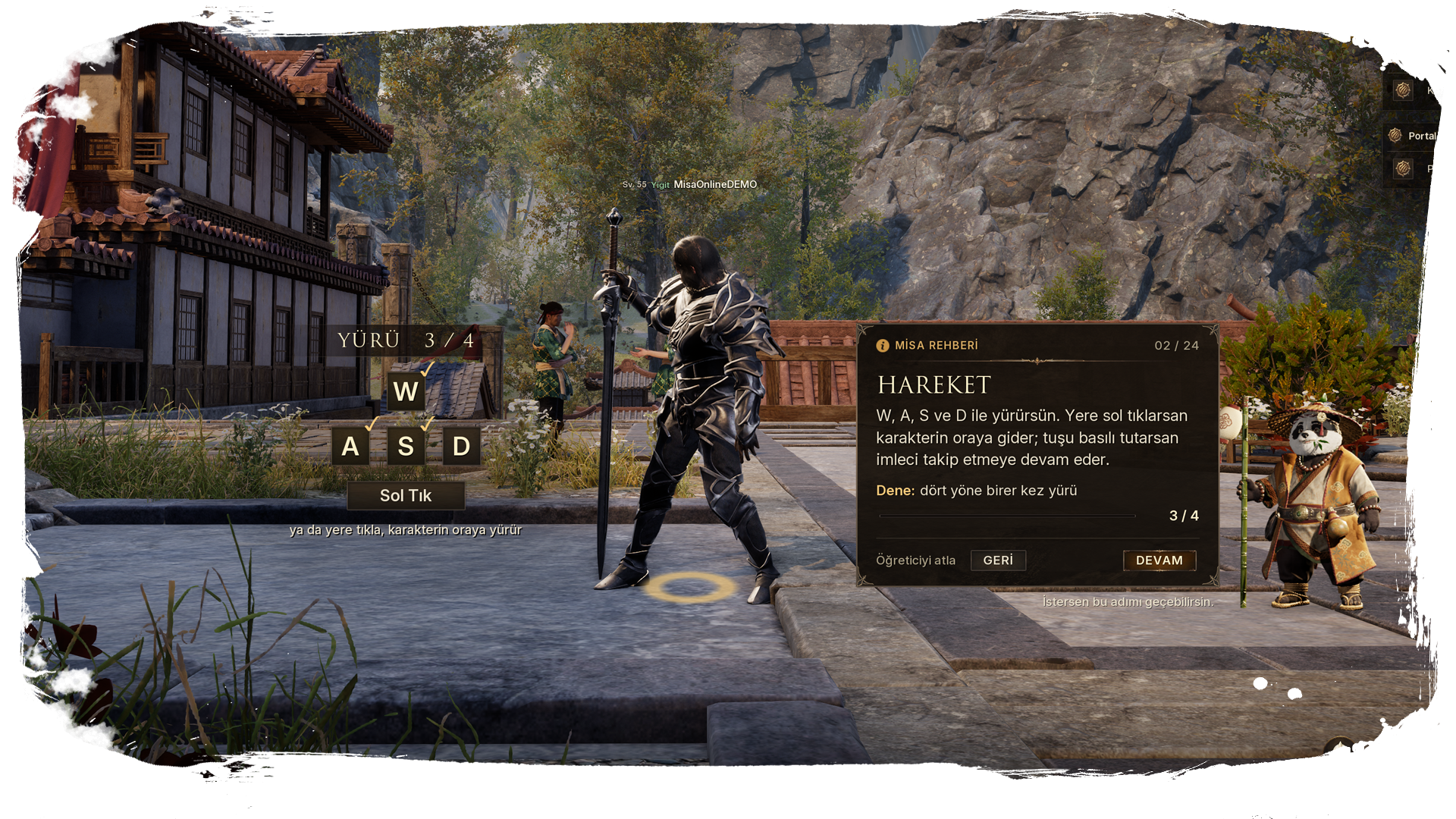
Bao guides you up to a certain point in the game. From movement and combat to taking on quests and managing your inventory, Bao walks you through everything you'll need in your first hours with short explanations and hands-on steps. Rather than just explaining a topic, Bao points directly at the relevant window or button on screen to show you exactly what to do.
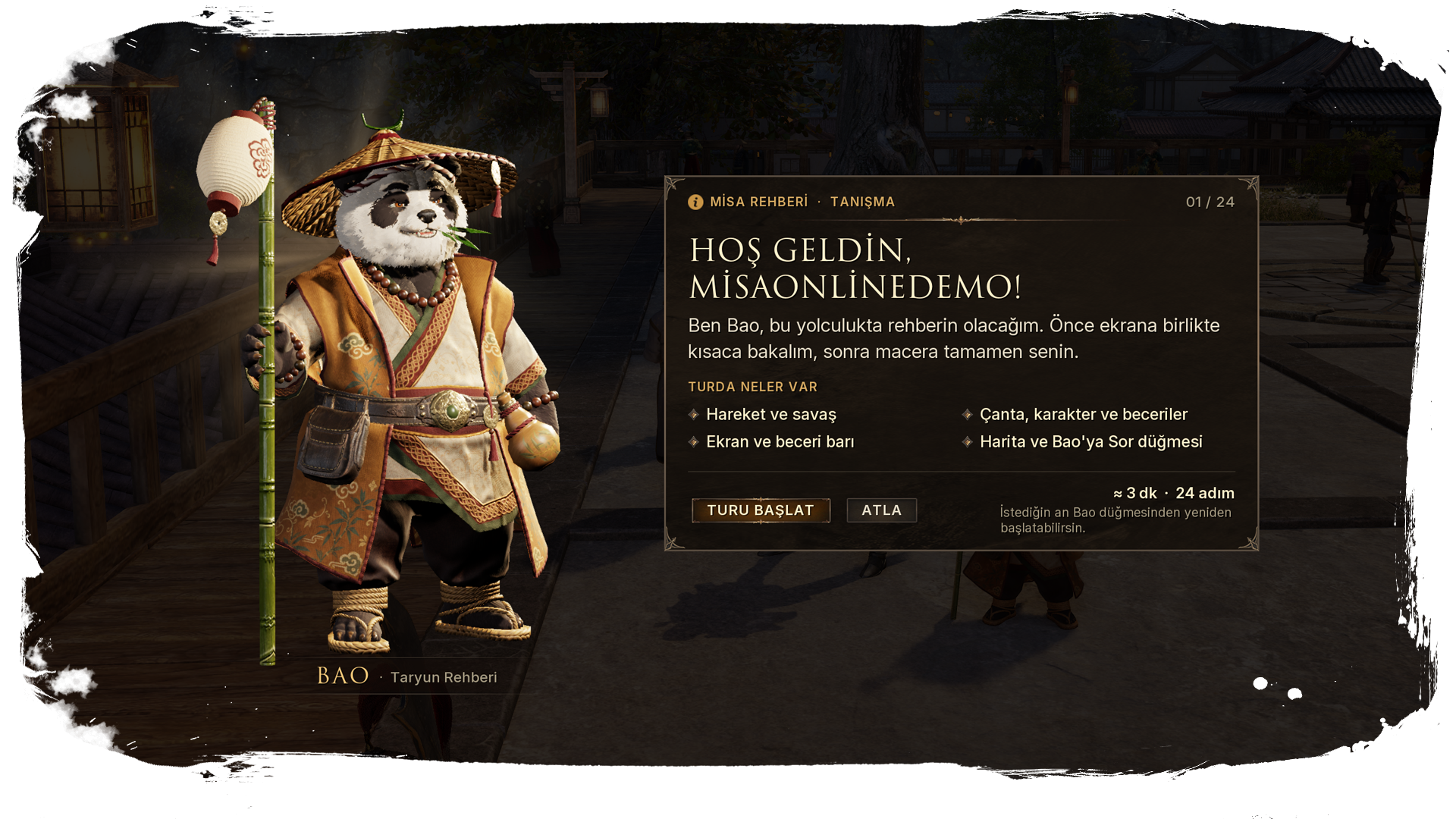
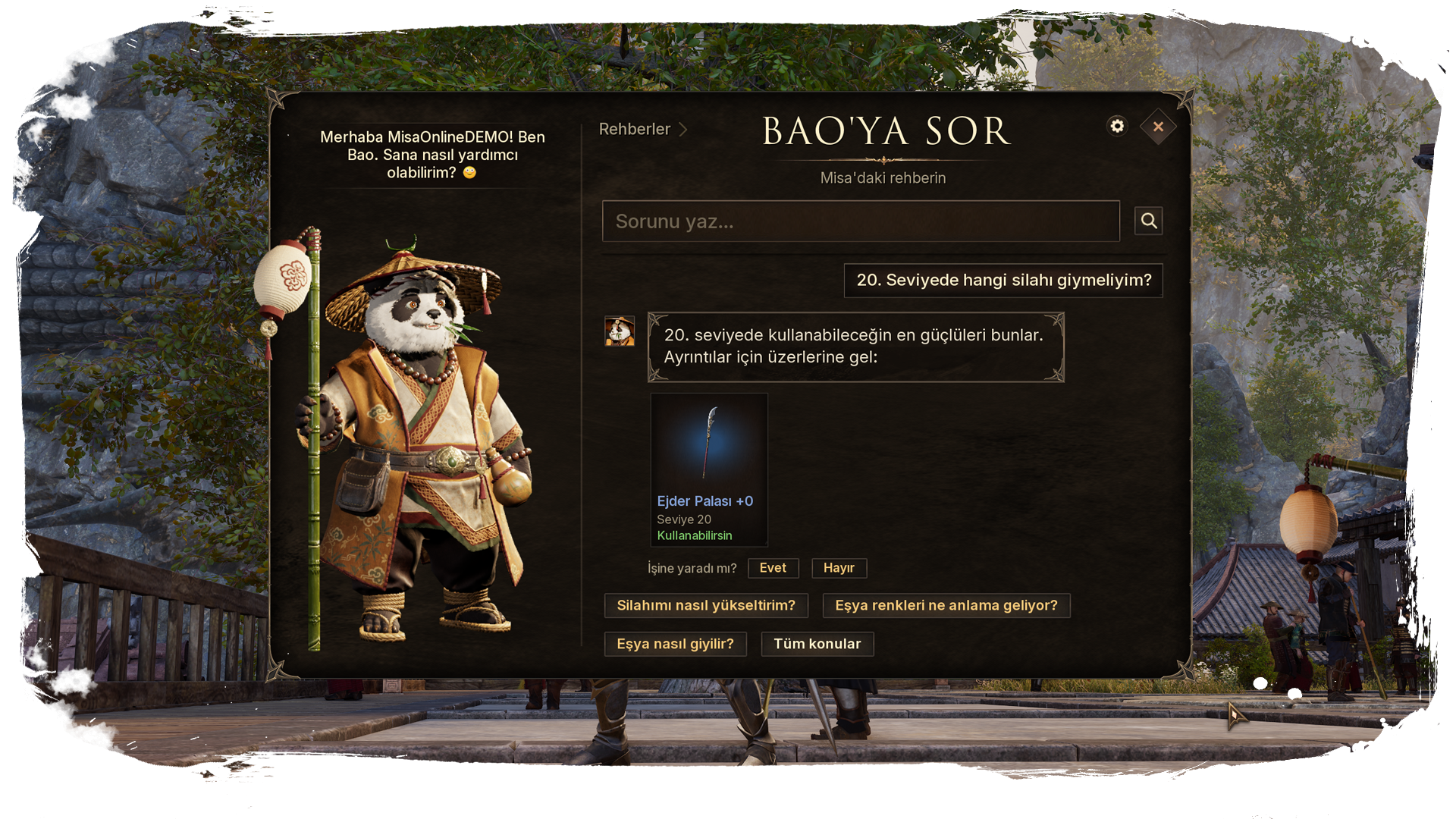
Bao stays by your side even after the tutorial ends. With the Bao button next to the minimap, you can open the question panel at any time and ask anything on your mind in your own words. Bao answers questions like "Do I have any new quests?", "How do I upgrade my weapon?", or "How much space is left in my bag?" based on your character's current state, and offers information on more than 500 topics, from quests and gear to professions and the party system.
Bao's help doesn't end with the question panel. When your HP runs low in a tough fight, Bao reminds you to drink a potion, and as you level up, Bao keeps you company with new tips. Our goal is for players new to Misa Online to get help wherever they get stuck, and for experienced players to find the information they need without ever leaving the game.
UI Updates: The Redesigned Minimap
At Gaming Istanbul 2026, we received very valuable feedback on our UI from players who tried the game. After the event, we redesigned the minimap from the ground up based on that feedback. Our goal was to create a map that shows more information at a glance and that every player can tailor to their own playstyle.
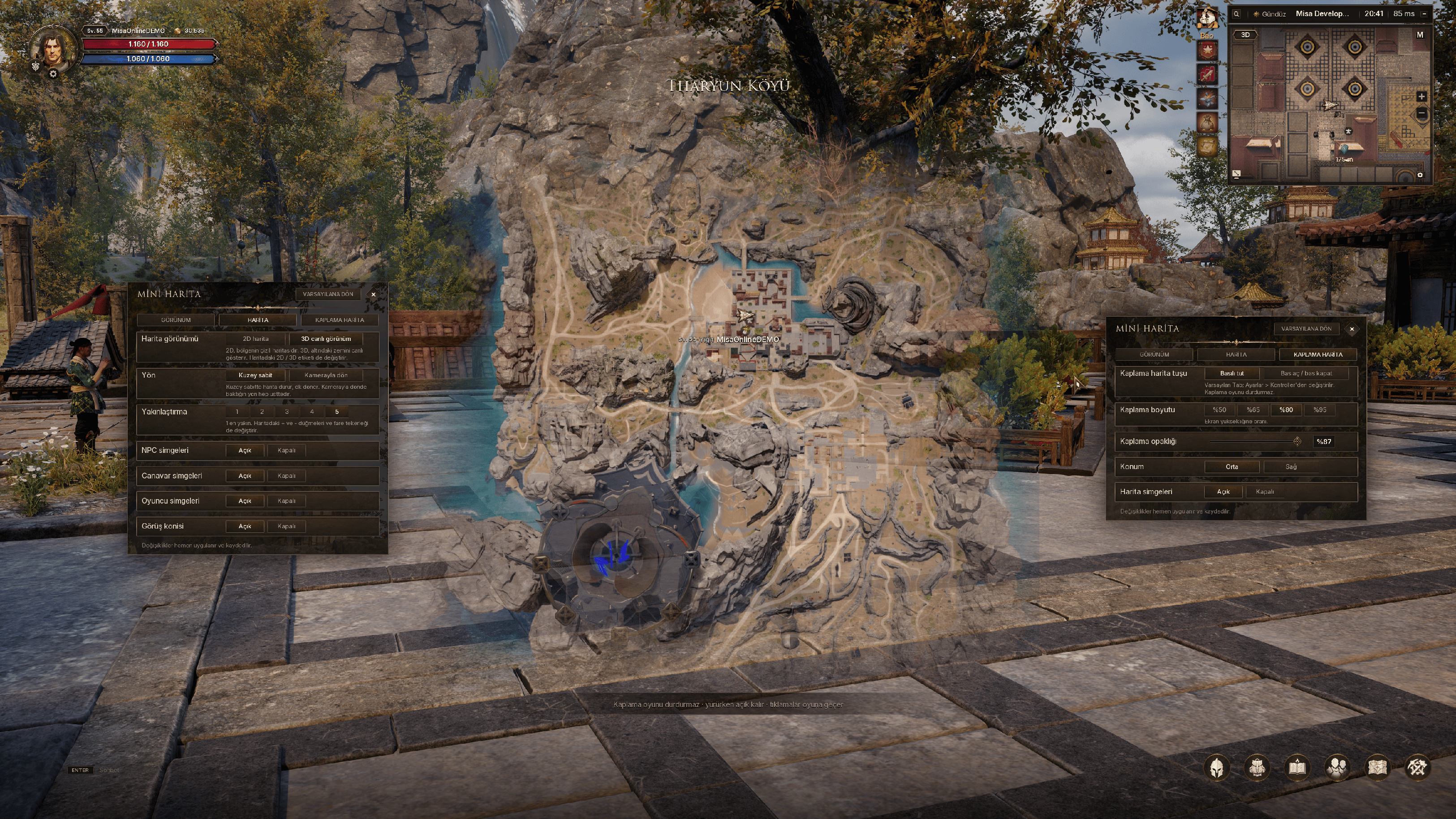
Everything you need in one line. The status strip above the map shows day or night, your server and channel, the clock, and your latency. You decide which of these appear on the strip.
2D and 3D views. The minimap now offers two different views. The 2D view shows the drawn map of the region, while the 3D view displays the terrain around you live. You can switch between them instantly by clicking the 2D / 3D tag on the map.
Your party and quests, always in sight. Party members are shown on the map with their numbers. When a tracked quest or a party member is outside the map area, a marker appears on the edge of the map showing their direction and distance from you. The location of the item you searched for in the market and the spot where you last died are also marked on the map, and hovering over an icon shows its name.
Overlay map with Tab. Press Tab to open the minimap as a large overlay on top of the screen. The overlay doesn't pause the game: you can keep moving and playing while it's open. In the settings, you can choose whether to hold the key or press it once, as well as the overlay's size, its opacity, and whether it sits in the center or on the right side of the screen.
Tailored to you. From the new minimap settings window, you can adjust the map's size, opacity, and zoom level, and choose whether the map stays north-up or rotates with your camera. You can toggle NPC, monster, and player icons and the view cone individually, and collapse the map with a single button when you don't need it. To zoom in and out, use the + / - buttons or the mouse wheel.
Thank you for every piece of feedback you shared with us at the event. We'd love to hear what you think of the new minimap as well.
UI Updates: Damage Text Settings
Damage text, the numbers that pop up on screen the moment you land a hit, is one of the most important elements shaping how combat feels. It largely determines how powerful a blow feels and how much a critical hit stands out. But every player wants to see something different on screen: some want a fight full of big, lively numbers, while others prefer to keep the screen clean. That's why we've built a new settings panel that puts damage text completely under the player's control.
Opened from the Combat tab of the Settings menu, the Damage Text Settings panel has two sections: Appearance and Motion. Every change you make is shown instantly in the live preview inside the panel.
Appearance. Choose from nine different fonts and set the text's weight and size. Six color options are available separately for your hits and your critical hits, so you can spot a critical hit at a glance, even in the middle of a crowded fight.
You decide what you see. You can individually toggle your own damage, other players' damage, damage taken, damage over time, healing and mana numbers, misses, and skill icons. Whether you focus only on your own hits in crowded party fights or see everything at once is entirely up to you.

Motion. How damage text moves changes the feel of a hit just as much as how it looks. In the Motion section, you can separately adjust how much the text grows when it first appears, how fast it arrives on screen, how far it launches, whether it comes to a sudden stop, how much it shakes on impact, and how long it stays on screen.
For those who'd rather not adjust each setting one by one, we've also added 18 presets. From a hard, sudden burst to a soft drift, and from a heavy shake to a clean, motionless look, you can try different styles with a single click and then fine-tune them to your liking.
Well-tuned damage text adds weight to every hit and makes combat easier to read. Our goal is to let every player shape their own feel of combat. Don't forget to share your thoughts on the damage text settings and which style you prefer most.
Khepra Weapon Set | Ancient Power of the Desert
In this section, we're introducing Khepra, our new weapon set that can be equipped at level 25. Khepra is a set inspired by the desert regions of Misa Online. It takes its name from the sacred scarab, which in the ancient deserts symbolized the sun rising each morning and rebirth.
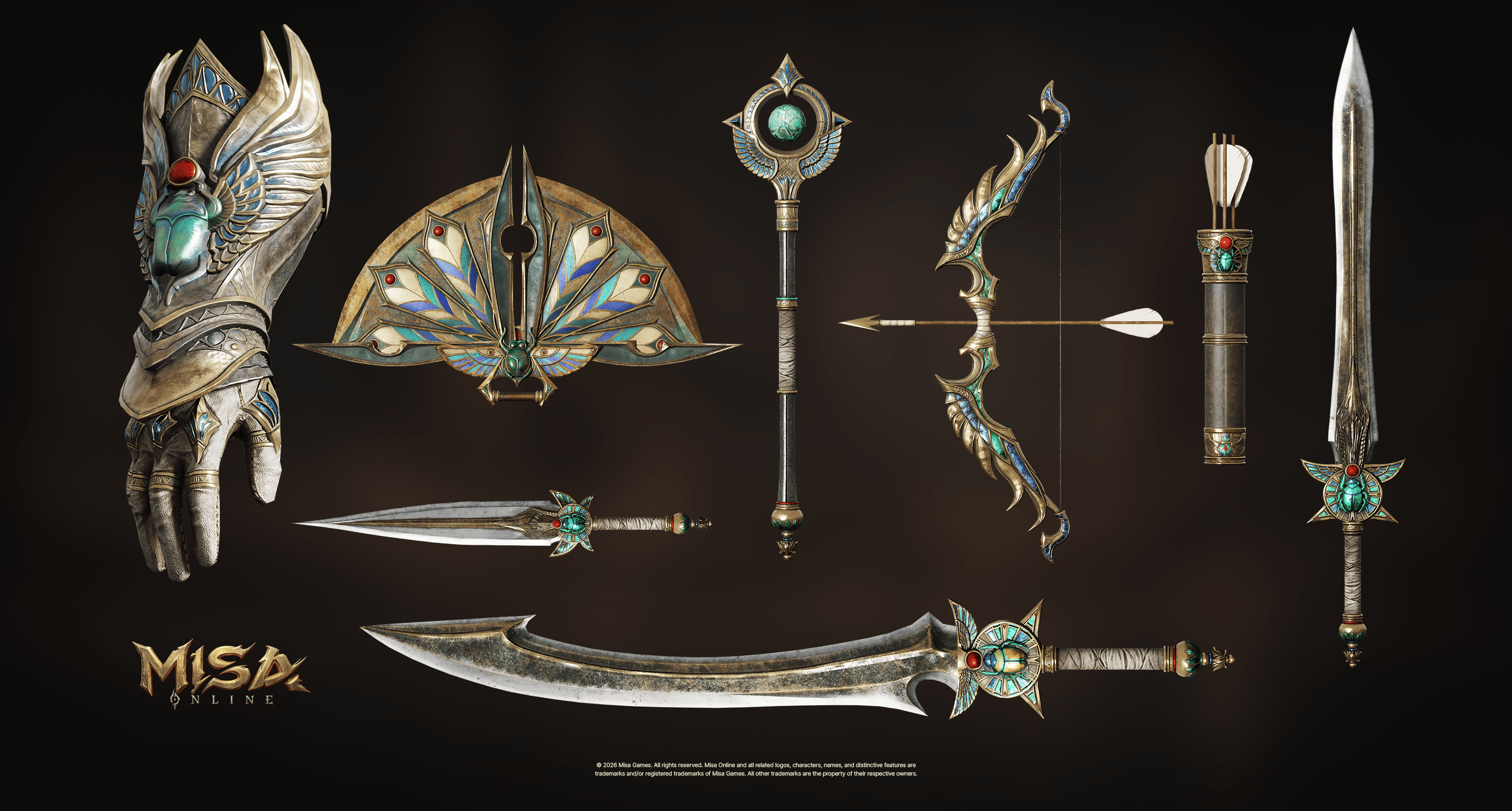
In designing the set, we brought together gold tones gleaming under the desert sun, sand-worn metal surfaces, and engravings that carry traces of ancient desert civilizations. The scarab motif stands out as a shared signature that ties the different pieces of the set together. Our goal was to create a weapon set that makes players feel they belong to that world the moment they step into the desert regions.
You can take a closer look at the Khepra Weapon Set in the image above. Don't forget to share your thoughts on the set and which weapon you like the most.
See You in the Next Dev Note
In the fifth installment of our Dev Notes series, we shared the Drakar's skills, Tutorial Guide Bao, the redesigned minimap, the damage text settings, and the Khepra Weapon Set with you.
The systems and visuals we've shown are part of our development process ahead of Pre-Alpha and may change before the final release. We look forward to your comments on everything we've shared in this installment. Just like at Gaming Istanbul, your feedback continues to guide us as we develop Misa Online.
You can find more information about Misa Online on our Steam page and official social media channels. Add the game to your Steam wishlist and follow us so you never miss an update.
Stay tuned. We have much more to show you.
With appreciation,
The Misa Online Development Team